Agile Data Agent

Not just faster coding, but a fundamentally different way of working

Your data backlog isn’t growing because your team isn’t skilled enough. It’s growing because there aren’t enough hours, and every new requirement means more code to write, review, and maintain forever. Agile Data Agent changes that equation. Describe what you need. The agent designs, generates, and validates. You review, approve, and ship.


ai-colors2-1
ada-deep-dive-bg-color-1
Agile Data Agent (ADA)

AI-powered metadata generation for Agile Data engine

  • New ada-cli tool for interacting with ADE through the External API
  • Agent skills for various data modelling and data development tasks
  • Context framework containing modelling principles, package design guidelines and ontologies as inputs to agents
  • Project structure, standardized layout for scaffolding new projects<
  • Modify metadata both with the GUI and via Agentic AI
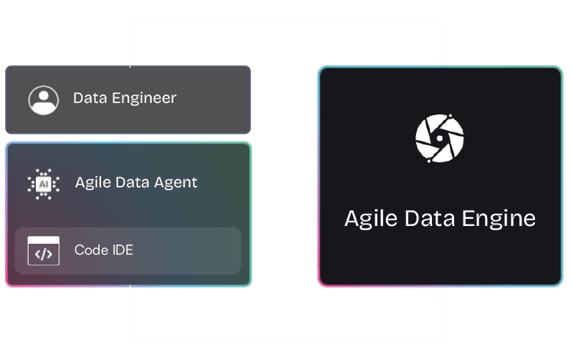
ada-engineer-interactions
Introducing Agile Data Agent

AI-powered metadata generation for Agile Data Engine

Adding a new way of operating with metadata: access via Agentic AI or the GUI.
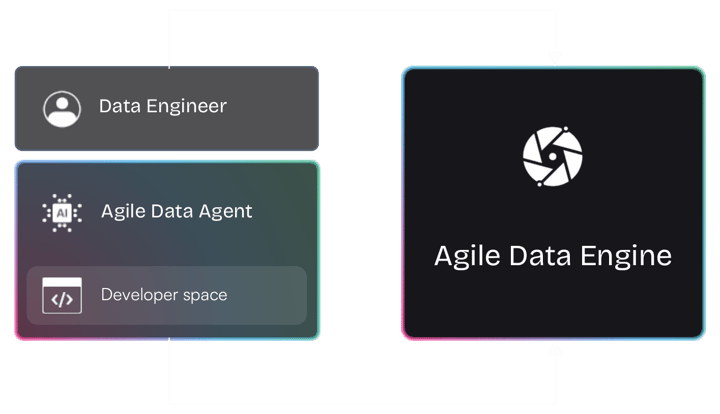
ada-engineer-interactions-1

ADA-CLI

New ada-cli tool for interacting with ADE through the External API.

Skill-based

Agent skills for various data modelling and data development tasks.

Context-aware

Context framework containing modelling principles, package design guidelines and ontologies as inputs to agents.

Scalable

Project structure, standardized layout for scaffolding new projects.
Agile Data Agent

Develop Data Solutions with Agentic Workflows

Agile Data Engine now supports an agentic workflow approach for developing data solutions. Instead of relying solely on the graphical interface, teams can accelerate work with an agent to design, generate, and iterate on solutions programmatically. This provides a flexible way to accelerate development while maintaining compatibility with the existing platform.
ada-tech-deep-dive-process-3

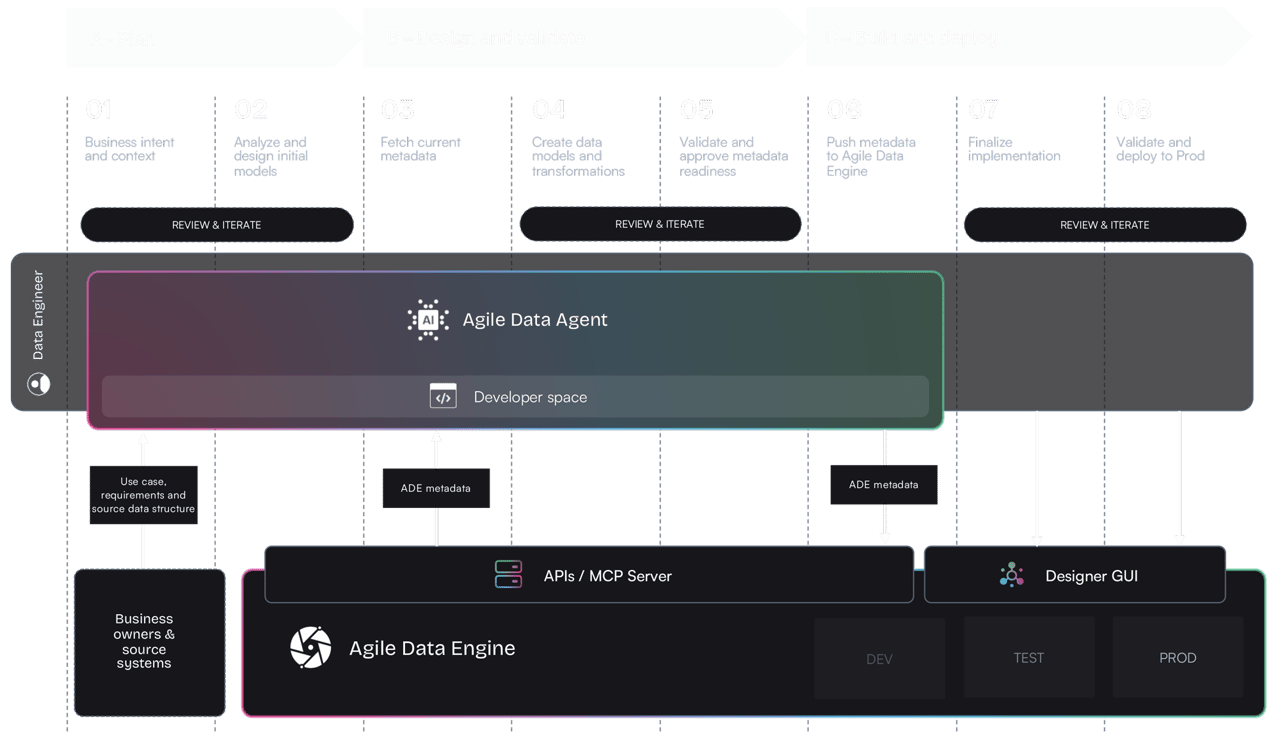
This is how it works in practise :

High level agentic development flow with Agile Data Engine

01

Express business intent to agent

Describe what you need in plain language. What business problem are you solving? How business is modeled? What data is involved? No code. No schema.

02

Analyze and design initial models

Agent translates intent and input data and generates draft data models and other design elements. Engineer iterates until design is ready.

03

Fetch current data product metadata

Fetch existing data product metadata from data platform environment and identify needed changes. Iterate generated models based on findings

04

Generate models, mappings and logic

Generate logical data models based on chosen modeling methodology and project rules, source to target mappings and transformation logic.

05

Validate and approve metadata readiness

Validate and approve generated metadata (logical schemas, mappings and business logic). Create final metadata files to be pushed to ADE.

06

Push metadata and deploy to Dev

Push metadata to ADE via API or MCP server. Commit imported changes, modify as needed and deploy to Development environment.

07

Finalize data product build in ADE

Finalize data product implementation details via ADE Designer GUI if needed. Commit changes and deploy to Test environment.

08

Validate in Test and deploy to Prod

Validate new development and changes in Test environment. Deploy changes to Production environment.
Why it is different?

Magic sauce = Metadata-driven approach

AI primarily generates proposals as metadata, not production code changes. This keeps focus on business semantics and data, instead of code.

Metadata-first

  • Focus in semantics, not in SQL syntax
  • Metadata structure works as guardrails to the agent
  • Design review instead of code review
  • Easier governance and lineage
  • Portable across platforms, not locked to one SQL dialect
check-green-1

Code-first

  • Focus is in the code, not business semantics and data model
  • Hidden dependencies and assumptions
  • Modeling logic and implementation are mixed
  • Output depends on the LLM prompt, hard to validate
  • Tightly coupled to the target platform's SQL dialect
half-check

Example agent skills

Here is a list of examples design and validation skills in Agile Data Agent. New skills are being developed continuously.

Staging generation

Generates source-aligned staging entities based on existing database schema or separate input files. Preserves original structure and granularity as the foundation for all downstream data layers.
icon-process-2nd

Load template builder

Creates and customizes FreeMarker-based SQL load templates for Agile Data Engine, covering patterns like SCD Type 2, incremental merges, multi-source joins, and data quality checks.
icon-agenda-white

Data Vault analysis

Analyzes staging entities to identify business keys, relationships, and descriptive attributes. Produces a design document mapping out Hubs, Links, and Satellites before implementation.
icon-ada-skill-analyze

Data vault generation

Generates normalized Data Vault YAML definitions (Hubs, Links, and Satellites) based on an approved design. Builds the core historical data warehouse layer from your staging structures.
database-add

Publish generation

Creates the reporting layer by generating denormalized Fact and Dimension entities from previous data warehouse layer structures. Delivers business-ready views optimized for analytics and BI consumption.
icon-process-3rd

Schema validation

Checks your YAML data definitions for structural errors and rule violations before deployment. Catches inconsistencies early, ensuring entities are correctly defined and ready for processing.
icon-ada-hierarchical-1

Attribute descriptions

Automatically generates clear, business-friendly descriptions for data attributes across all layers (e.g. based on source system documentation). Uses AI to produce meaningful metadata that helps users understand your data assets.
icon-list-1

Diagram generation

Creates visual data lineage and entity relationship diagrams from your YAML definitions. Helps teams document and communicate data architecture across staging, Data Vault, and reporting layers.
icon-diagram

Metadata sync

Pulls existing package and entity metadata from Agile Data Engine back into local YAML files. Keeps your local project in sync with what is deployed, supporting incremental or full refreshes.
icon-sync-2

Works with the customer AI-tool of choice

Agile Data Agent setup works seamlessly with AI coding assistants that support modular agent skill frameworks, tool invocation via APIs and MCP servers, and stateful orchestration of multi-step workflows, giving you flexibility to use the tools your team already prefe

  • Claude_AI_symbol

    Claude Code


  • Google_Gemini_icon_2025

    Gemini CLI


  • GitHub_Invertocat_White_Clearspace

    GitHub Copilot


  • Snowflake-1

    Snowflake Cortex


See it in action